Pairing & Setup Guide

How to Add a Kid Device

Connect your kid's iPhone or iPad to your KidoPal Parent app in five quick steps.

1 Settings
2 Family Members
3 Invite Kids
4 Get Code
5 Enter in Junior
Step 01

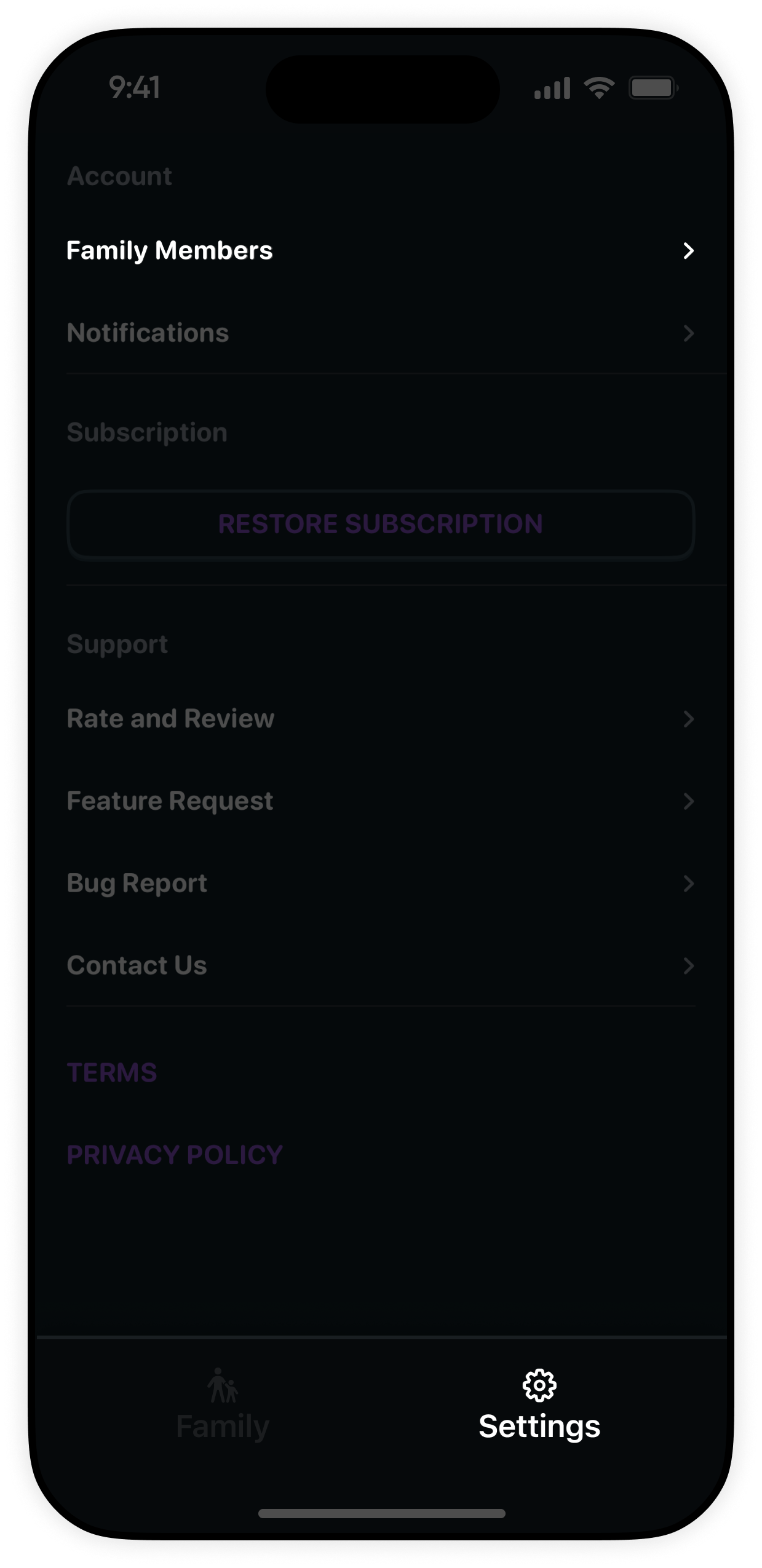
Go to the Settings tab in Parent App

Open the KidoPal app on your parent device. In the bottom navigation bar, tap on the Settings tab icon.

📱
Parent Device: Launch your main KidoPal application.
⚙️
Navigation Bar: Tap the Settings tab located at the bottom right.
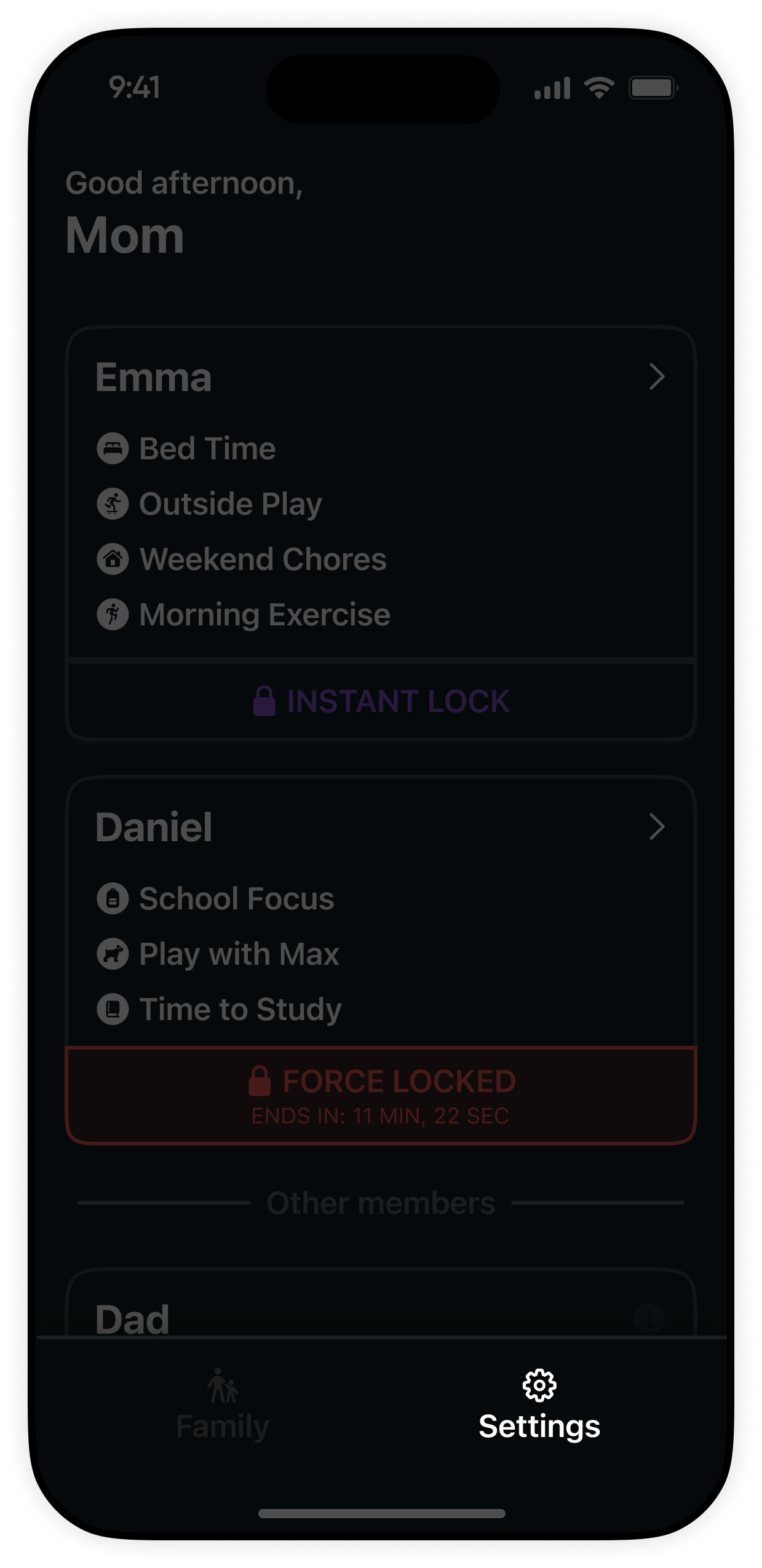
Step 1: Go to Settings tab in KidoPal Parent App
Step 02

Select the "Family Members" item

Inside the Settings menu, locate and tap on Family Members to manage children, co-parents, and connected devices.

👨‍👩‍👧‍👦
Family List: Tap Family Members in the list of settings options.
📋
Overview: View your family profiles, children's accounts, and guardian access.
Step 2: Select Family Members in Settings
Step 03

Tap on the "Invite Kids" button

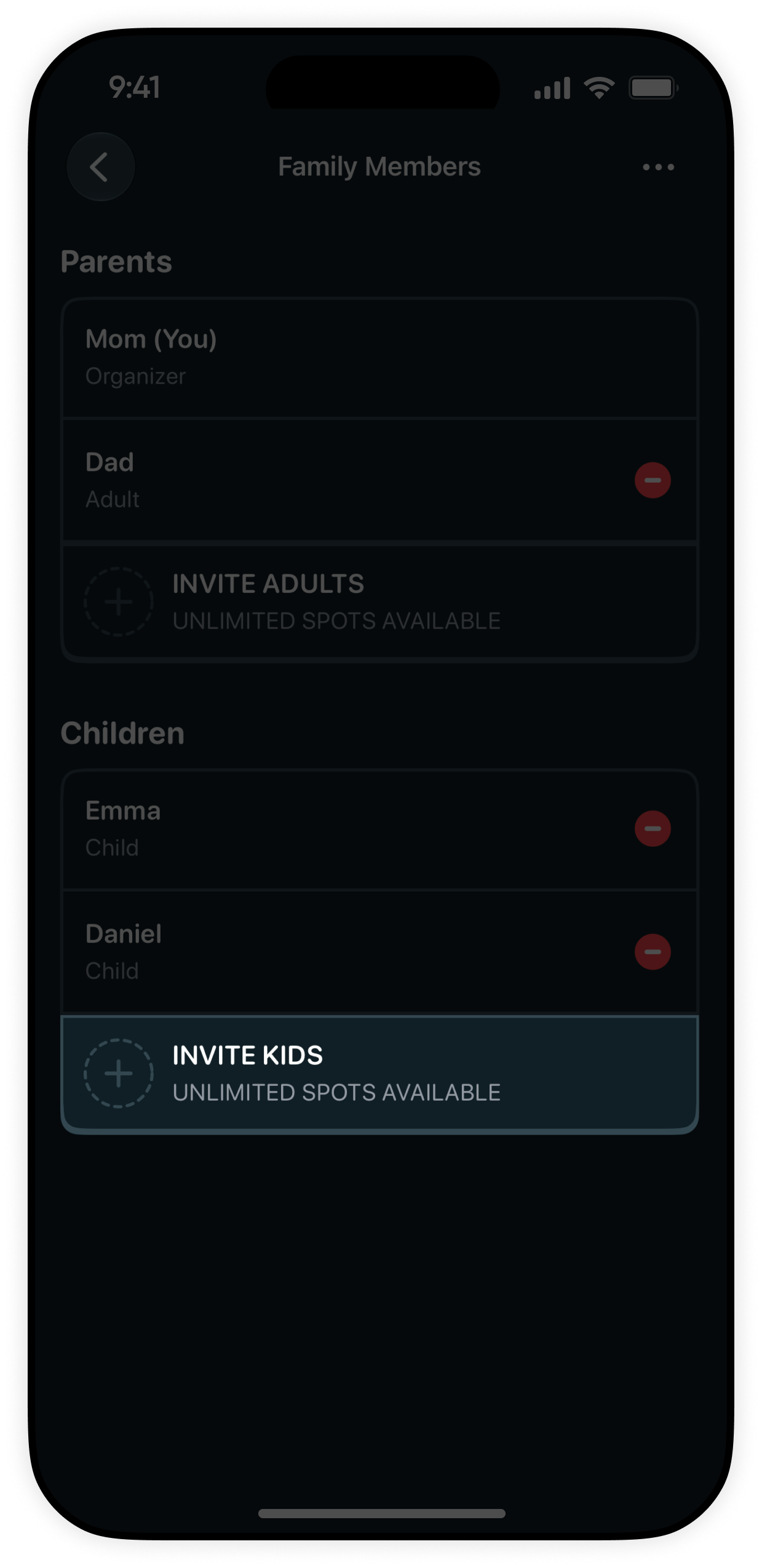
Under the Children section in Family Members, tap the Invite Kids button to initiate pairing.

👶
Children Section: Locate the Children header on the Family Members screen.
Invite Button: Tap Invite Kids to create a secure invitation.
Step 3: Tap Invite Kids in Children section
Step 04

Get the pairing code

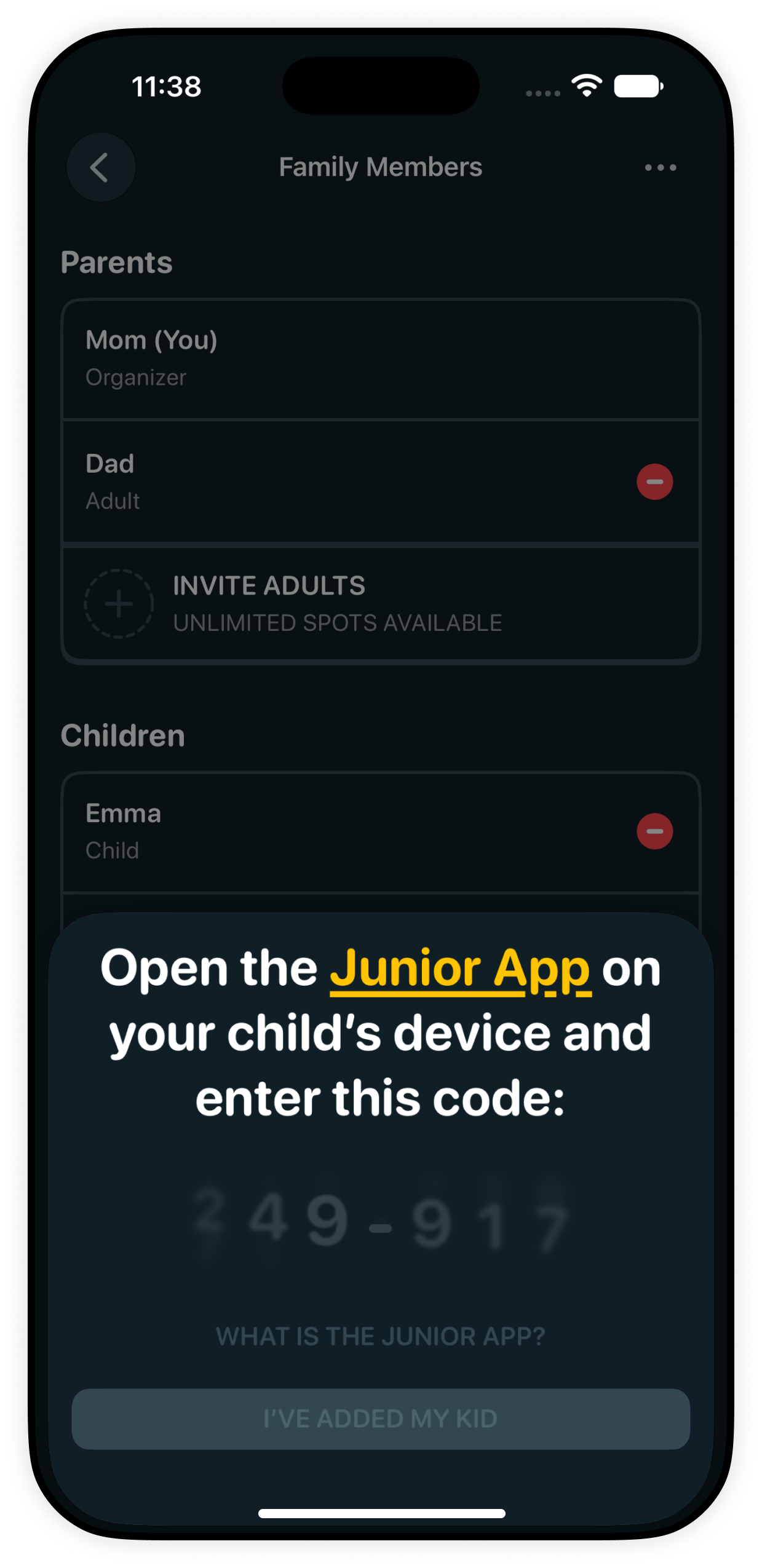
KidoPal generates a secure 6-digit pairing code on your screen. Keep this code visible to enter on your child's device.

🎟️
Pairing Code: A clear 6-digit invite code is displayed on your screen.
⏱️
Ready to Pair: Keep this code handy for the next step on the child's device.
Step 4: Get secure pairing code
Step 05

Enter the code in the Junior app

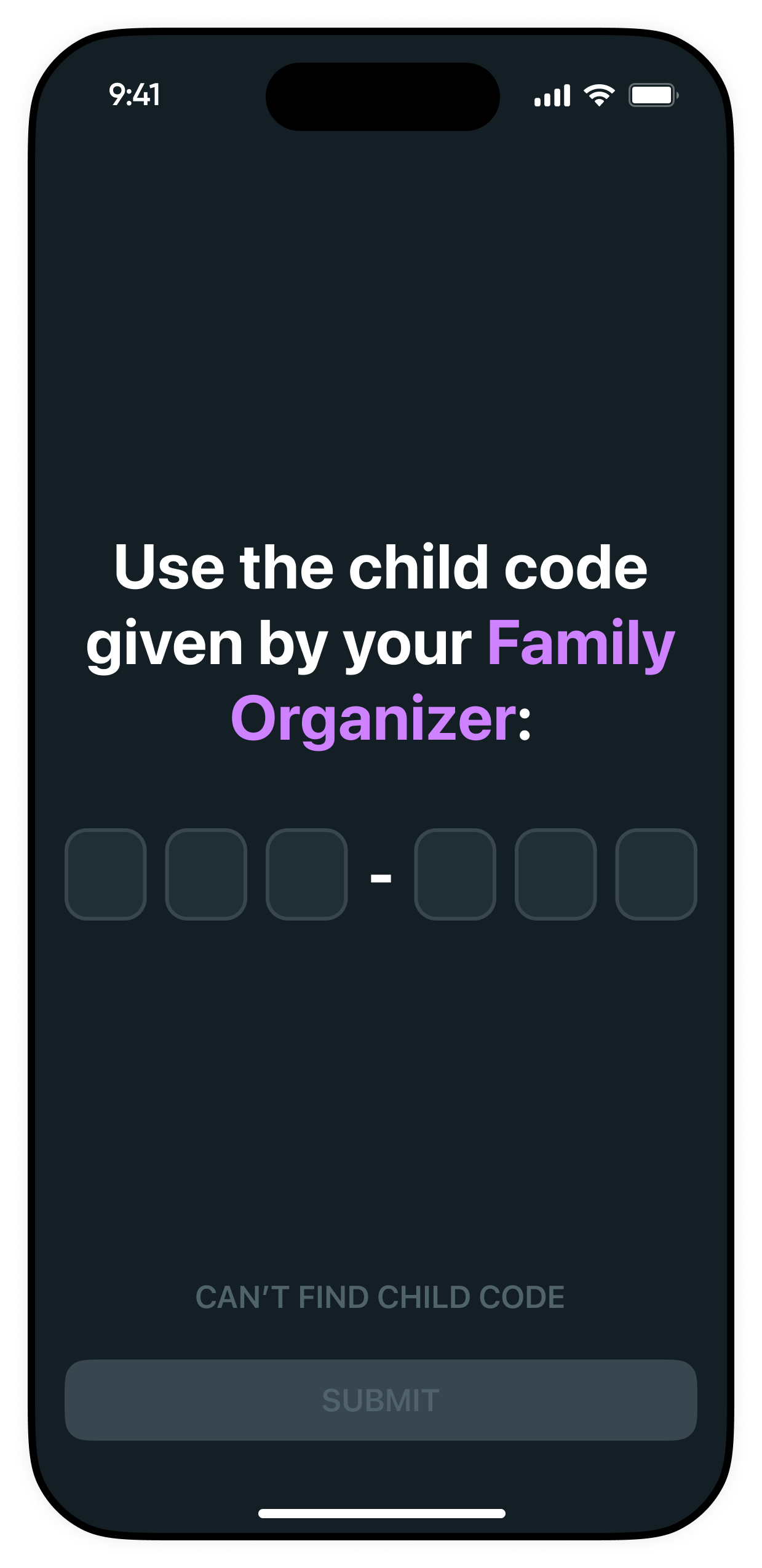
Open the KidoPal Junior app on your child's device, enter the pairing code from Step 4, and tap connect.

📲
Child Device: Open the KidoPal Junior app on your child's iPhone or iPad.
Instant Pairing: Type the code and tap connect. Your routines, schedules, and remote lock will sync in seconds.
Step 5: Enter pairing code in KidoPal Junior app on child device

Helpful Setup Tips

Everything you need to know about pairing and managing child devices in KidoPal.

☁️

No Same Wi-Fi Needed

Devices pair over Apple's private iCloud sync. You can pair and manage your kids whether you are at home or away.

👨‍👧‍👦

Multiple Kids & Devices

Have more than one child? Simply repeat the invite step to generate distinct codes for each sibling and device.

Instant Sync in Seconds

Once paired, all routine updates, screen breaks, and instant remote locks reflect across devices immediately.

KidoPal App Icon

Ready to build healthy screen habits?

Download KidoPal on iPhone & iPad and bring peace to your family's daily screen time.

Download on the App Store